Selecting the Operation Mode
In addition to the mode that uses 2D markers,you can also select Waist-only IMU Mode or IMU Mode (Beta).
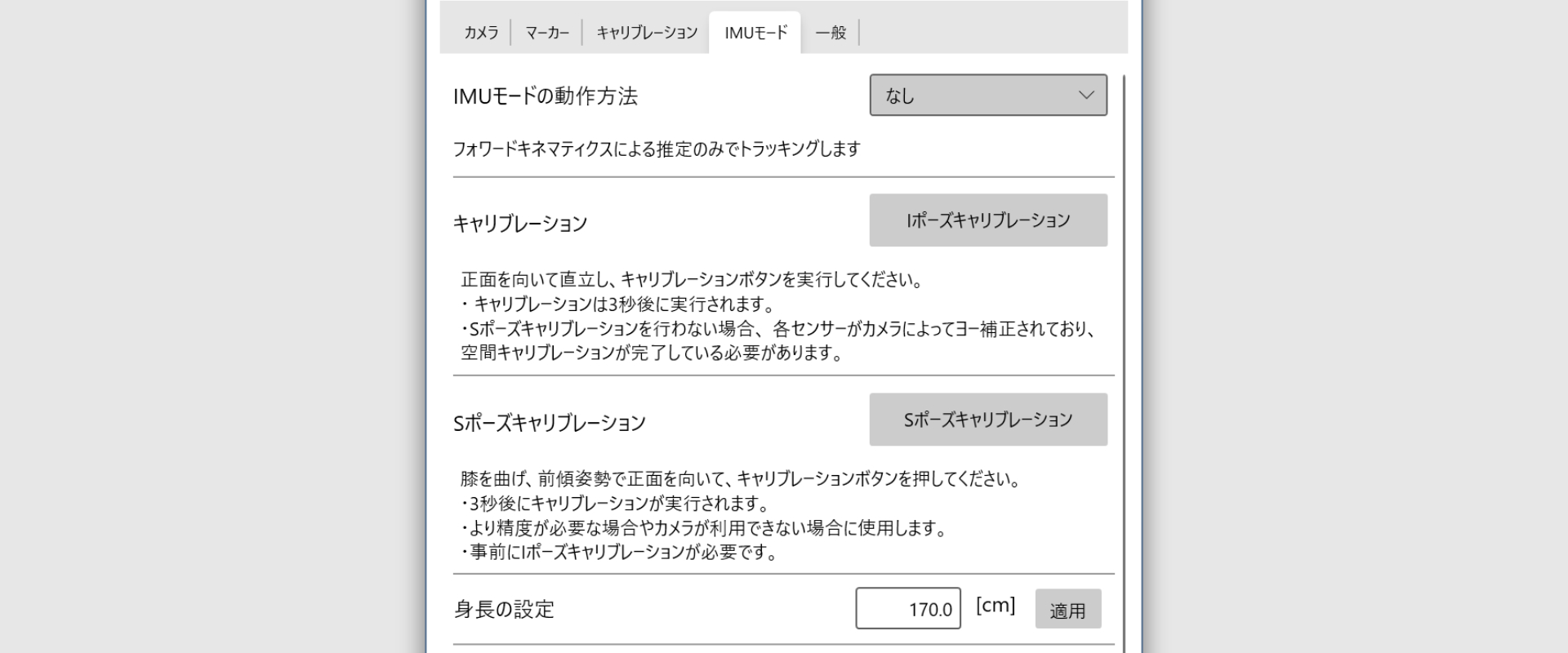
Operation Mode Types
You can select the operation mode from the “IMU Mode Operation Method” dropdown menu in the IMU Mode tab of Opsens Studio.
None
Position is estimated using 2D markers only.
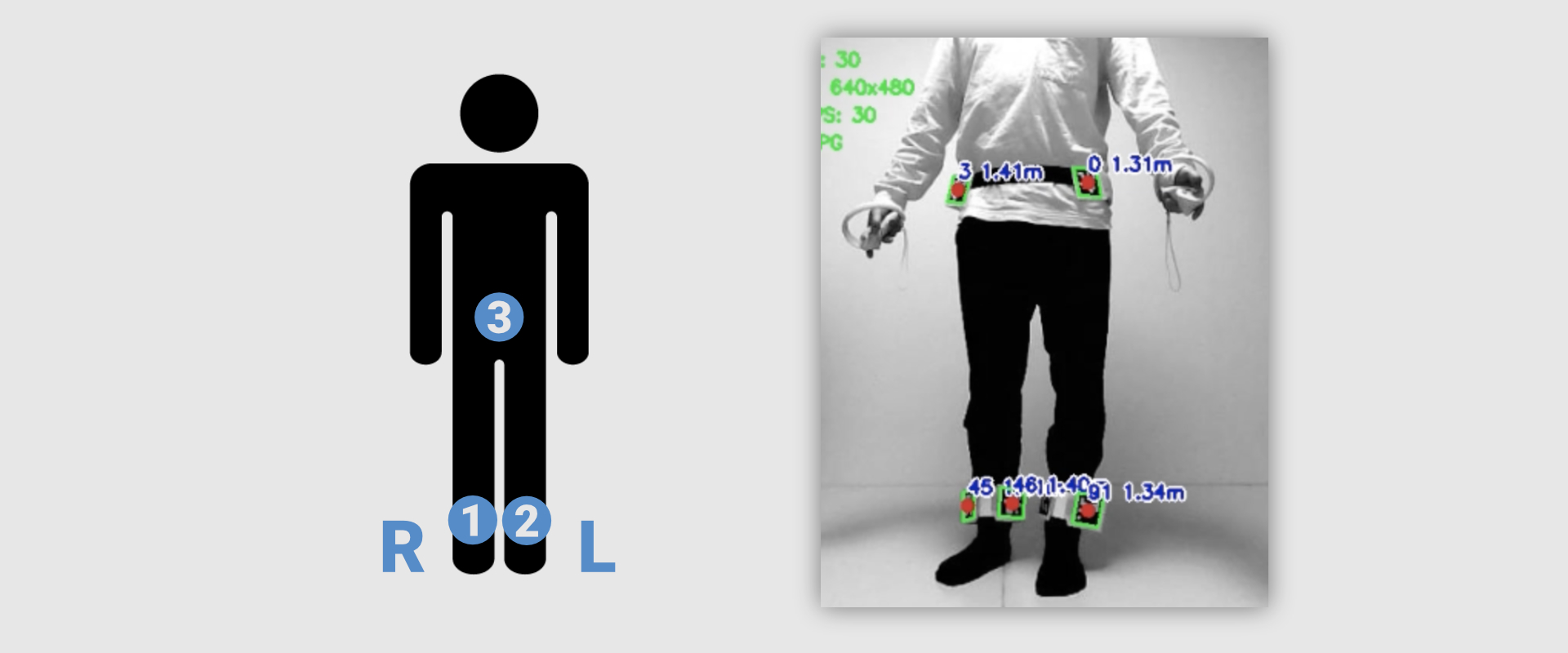
Waist-only IMU
The waist position is estimated using forward kinematics.
Leg positions are estimated using 2D markers only, the same as when None is selected.
Pose calibration is required.
This mode can be used even if no 2D marker is attached to the waist sensor.
In that case, S-pose calibration is mandatory.
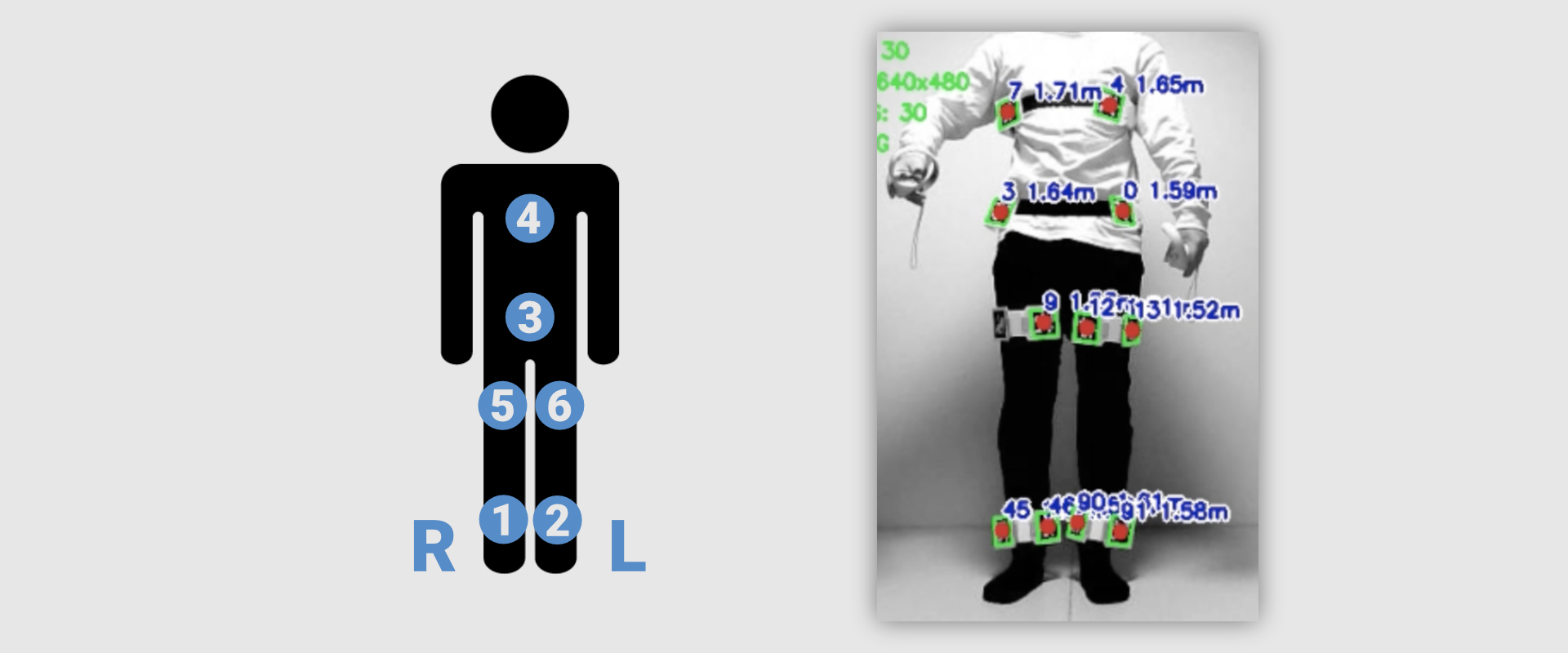
IMU Mode (Beta)
All positions are estimated using forward kinematics.
Sensors must be attached at six locations: chest, waist, left/right thighs, and left/right shins.
Pose calibration is required.
This mode can be used even if no 2D markers are attached to the sensors.
In that case, S-pose calibration is mandatory.
Pose Calibration
When using Waist-only IMU Mode or IMU Mode (beta), pose calibration is required.
I-pose calibration is mandatory.
S-pose calibration may or may not be required, depending on whether 2D markers are attached.
I-Pose Calibration
Face forward and stand upright, then press the I-Pose Calibration button.
- Calibration will start after 3 seconds.
- If S-pose calibration is not performed, all sensors must have already received yaw correction from the camera, and spatial calibration must be completed.
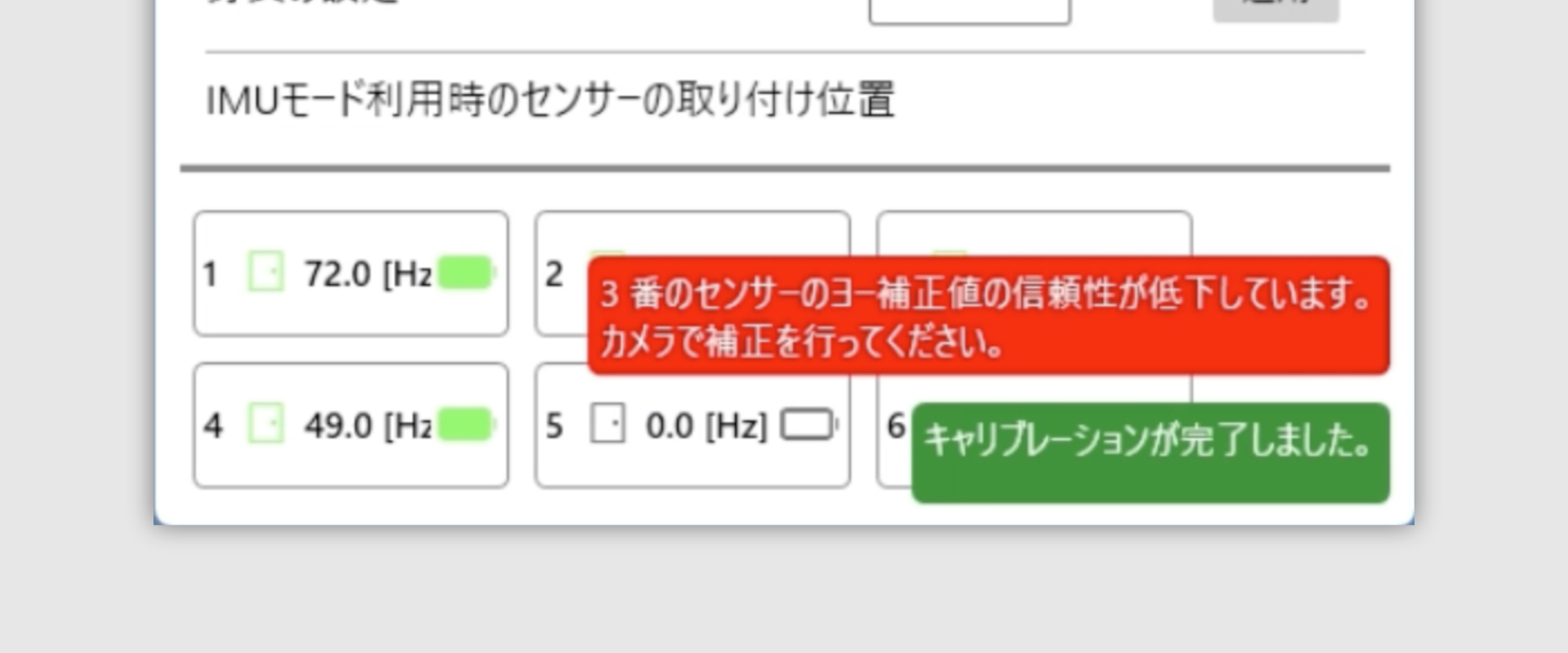 During I-pose calibration, a warning may appear indicating that the yaw correction confidence of one or more sensors has decreased.
- If 2D markers are attached:
- Keep the markers recognized for at least 5 seconds.
- If 2D markers are not attached:
- Ignore the error message and proceed with S-pose calibration.
S-Pose Calibration
Bend your knees, lean forward while facing front, and press the S-Pose Calibration button.
- This calibration is recommended when higher accuracy is required or when a camera cannot be used.
- I-pose calibration must be completed beforehand.
- Calibration will start after 3 seconds.
Height Setting
Enter your height (in cm) to be used for forward kinematics calculations.